Digital Business Cards with QR Codes

Replace traditional paper business cards with smart QR codes. Share your contact details, social media, portfolio, and more with a simple scan.

Live Preview

See Your Analytics in Real-Time

Track every scan, understand your audience, and optimize your QR code campaigns with our powerful dashboard.

dashboard.qrcodein.com

QR Codes

12

Total Scans

2,847

Unique Visitors

1,923

Countries

24

Avg/day

95.0

Growth

+23%

Mobile

67%

Returning

34%

Scan Trends

Last 7 days
MonTueWedThuFriSatSun

Top QR Codes

1

Menu Principal

847
2

Business Card

523
3

Summer Promo

412
4

WiFi Access

389

Top Countries

1
🇫🇷

France

1247
2
🇺🇸

United States

523
3
🇬🇧

United Kingdom

312
4
🇩🇪

Germany

289

Devices

Mobile
65%
Desktop
25%
Tablet
10%

Browsers

Chrome1424
Safari854
Firefox342
Edge228

Recent Scans

2m🇫🇷Paris
5m🇺🇸New York
12m🇬🇧London
18m🇩🇪Berlin
See It In Action

How It Works In Real Life

Discover how businesses like yours use QR codes to engage customers and streamline operations

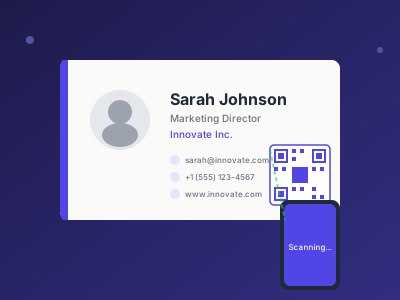
Professional business card with QR code for contact sharing

Business Card with QR Code

Add a QR code to your business card design. Recipients scan to save your contact details directly to their phone.

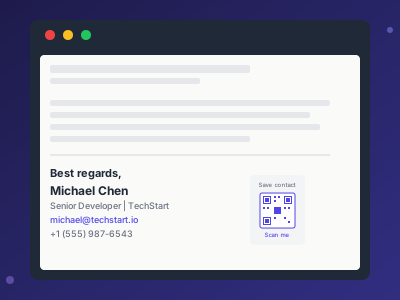
Email signature with small QR code for quick contact saving

Email Signature

Include a small QR code in your email signature. Recipients can save your contact without typing anything.

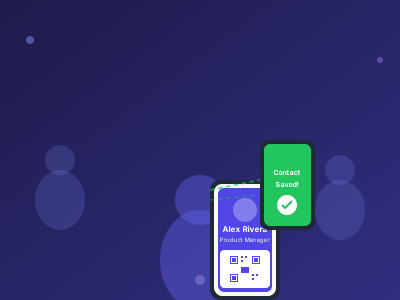
Smartphone showing QR code at networking event for contact exchange

Networking Made Easy

Show your QR code on your phone screen at networking events. New contacts scan and save your info instantly.

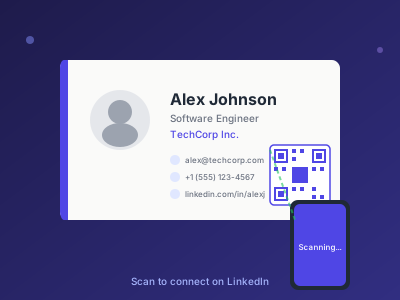
LinkedIn profile with QR code for professional networking

LinkedIn Profile QR

Add a QR code to your LinkedIn profile or resume. Recruiters and contacts scan to connect with you instantly.

Powerful Features

Everything you need to succeed with QR codes

Instant Contact Sharing

Share phone, email, website, and social media with one scan

Always Up-to-date

Update your information anytime. Your QR code stays the same.

Save to Phone

Contacts can save your info directly to their phone's contact list

Track Connections

See how many people scanned your card and when

Common Use Cases

See how businesses are using QR codes

1

Networking Events

Share contacts quickly at conferences and meetups

2

Email Signatures

Add QR codes to email signatures for easy contact sharing

3

Business Card Printing

Print QR codes on physical cards for hybrid approach

4

LinkedIn Profiles

Link directly to your professional profiles

Key Benefits

Why businesses choose our QR code solution

Never run out of business cards

Update information without reprinting

Eco-friendly digital solution

Track networking ROI

Professional modern impression

Frequently Asked Questions

Everything you need to know about QR codes for digital business cards with qr codes

What is a vCard QR code?

A vCard QR code contains your contact information in a standardized format. When scanned, it allows the recipient to save your contact directly to their phone's address book with one tap.

Can I include social media links in my digital business card?

Yes! You can include LinkedIn, Twitter, Instagram, Facebook, and any other social profiles along with your phone, email, and website.

Will my QR code business card work if I change jobs?

With dynamic QR codes, you can update your contact information anytime without creating a new QR code. Perfect for job changes or promotions.

How do I add a QR code to my physical business card?

Simply download your QR code as a PNG or SVG file and add it to your business card design. We recommend a minimum size of 2cm x 2cm for reliable scanning.

Ready to create your QR codes?

Join thousands of businesses using QRCodeIn